Somewhere nearby.
Small World tells you when a friend is nearby — as a bubble around roughly where they are. For the meet-up you'd otherwise have missed.
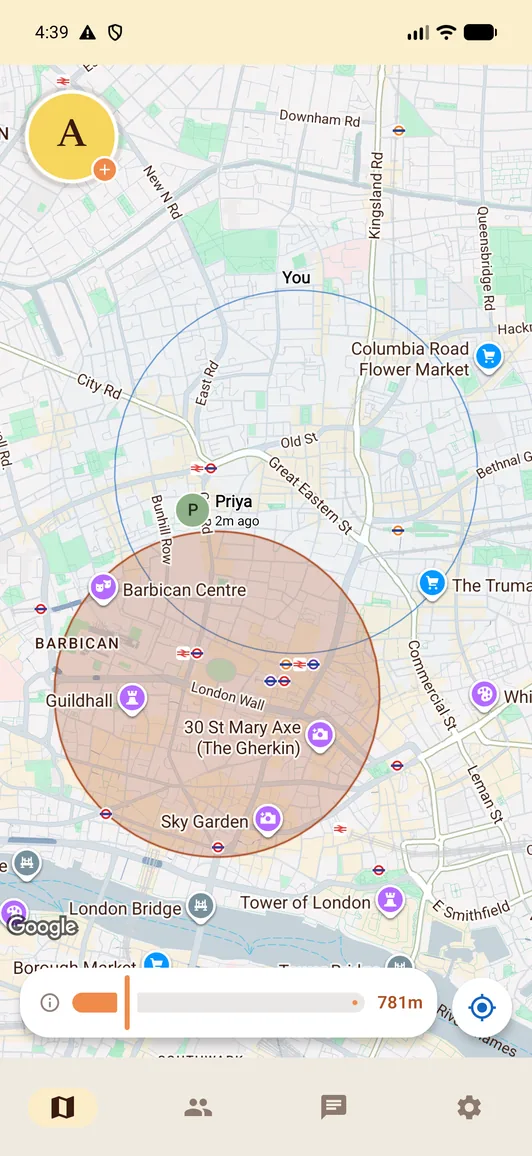
You were four streets away and neither of you knew.
That's the problem Small World solves. The friend who works round the corner. The one at the same festival. The one out on the same night as you.
Know when they're close
A notification when a friend is nearby.
An area, not an address
Friends see roughly where you are in a bubble. An exact position is shared only when you choose timed precise sharing.
You decide who, and when
Share with the friends you choose. Hide from one person, pause a whole group, or take a break from sharing altogether.
Flow 1
Get set up
Sign in and add your friends. The app guides you through location permissions before you start sharing.
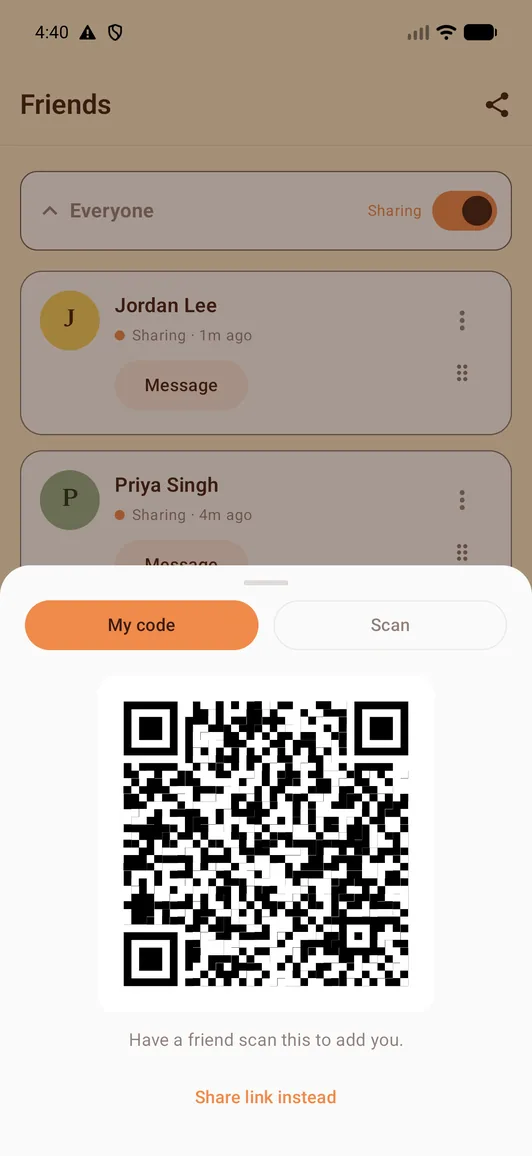
- 1Share your code or invite link. Let a friend scan your code or send them your link. You’re connected once the friend request is accepted.
- 2Map sharing is your choice. It starts off.
- 3And the same switch turns it off again, for an hour, eight hours, a week — or until you turn it back on yourself.
Flow 2
See who's nearby
Friends appear when your bubbles overlap. You each choose your bubble size, so you both have a say in how close “nearby” has to be. Check the timestamps to see how recent a location is.
- 1A friend who's nearby right now. An area showing roughly where they are, rather than a pin drawn around their exact position.
- 2Yours is drawn the same way, so you always see what they see of you.
- 3Your radius, your call — widen it whenever you want to be vaguer.
Need to find each other? Share precise location from your chat for a limited time. It ends automatically, and you can stop it sooner.
Flow 3
When you cross paths
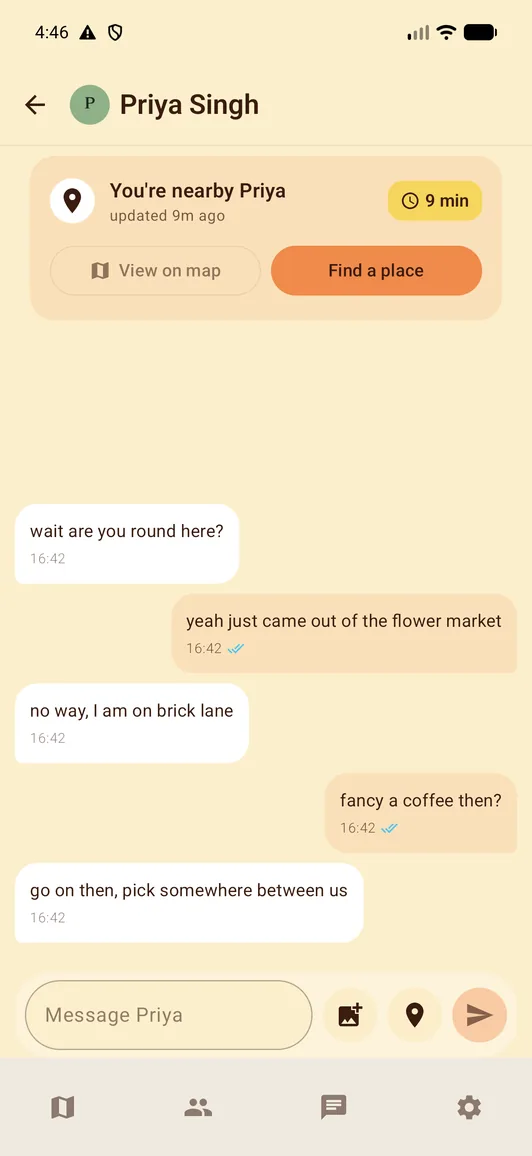
Get a heads-up when a friend is nearby, then send a message or photo to make a plan. Look back at past meet-ups from their profile. You can manage nearby alerts in Settings.
- 1A notification when a friend is near. Open the map or send a message.
- 2A small chip sits over your chat for as long as you're still close — tap it to see them on the map.
- 3From that chip, find somewhere to meet — the next flow.
- 4Look back at your crossed paths from their profile, with past dates and nearby durations.
Flow 4
Decide where to meet
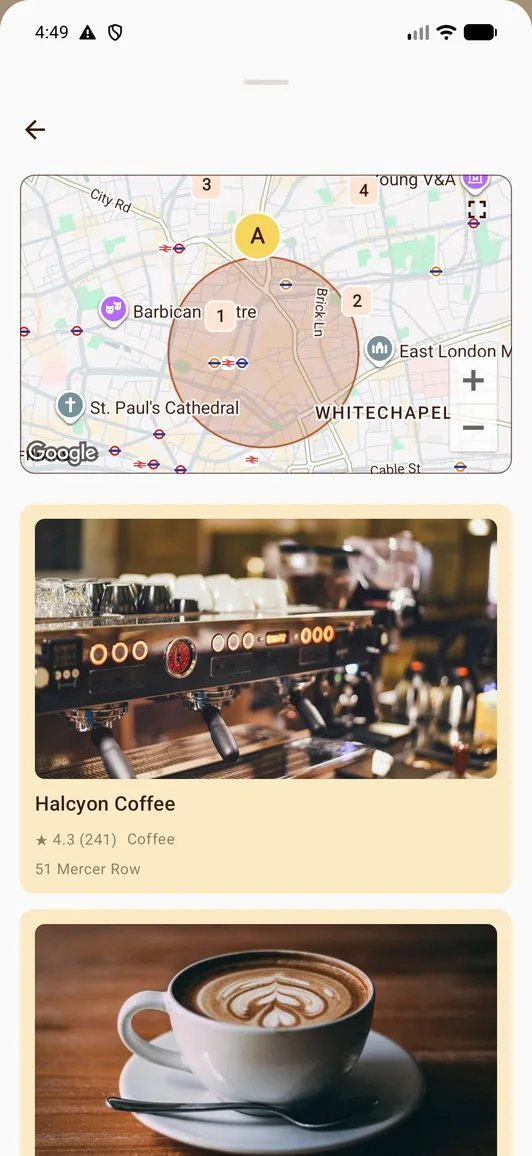
Once you've crossed paths, use the chip in your chat to Find a place. Small World looks between the two of you. Want to look a little further afield? Choose Search further. Walking distances can differ.
- 1Four categories — coffee, food, a bar, a park.
- 2Well reviewed, with places known to be closed filtered out. Opening hours can be unknown — check before you go.
- 3It lands in the chat as a Google place card with a Maps link. You can also share any place into Small World straight from Google Maps.
Flow 5
Share a little of your day
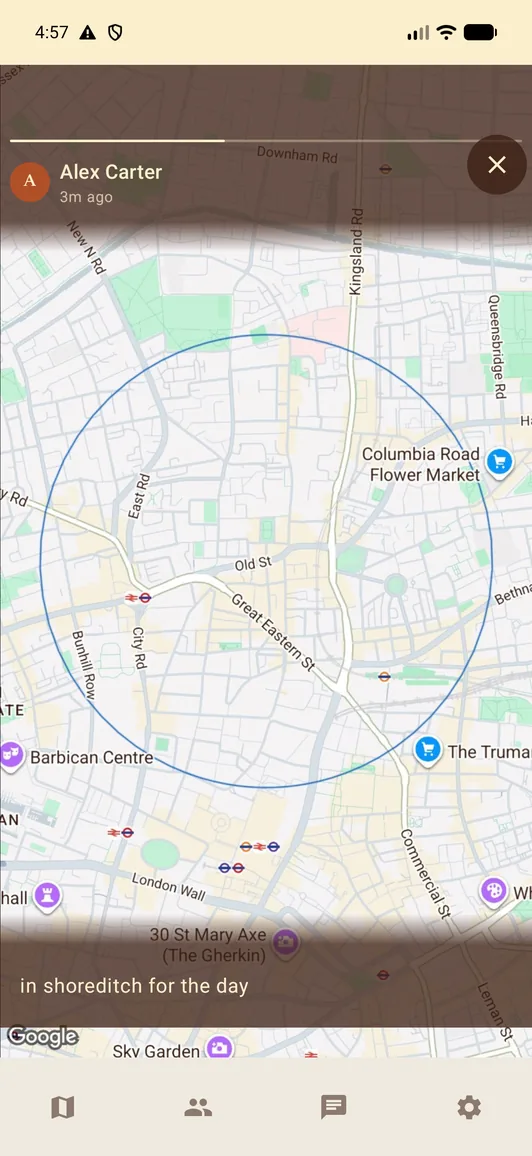
Out somewhere good? A bubble story shows that same area to your friends wherever they are, not just the ones close enough to appear on your map. Share a moment or leave an open invitation. Hiding your bubble from a friend hides bubble stories and photos with a bubble, but plain photo stories remain visible to their chosen audience.
- 1A photo, a bubble, or both. Choose a photo from your camera or library, a bubble, or both — visible for 24 hours.
- 2It tells you the audience before you post Choose all friends or selected groups. Bubble stories ask you to confirm how many friends will see your area.
- 3And who actually looked.
Flow 6
Find the friends you already have
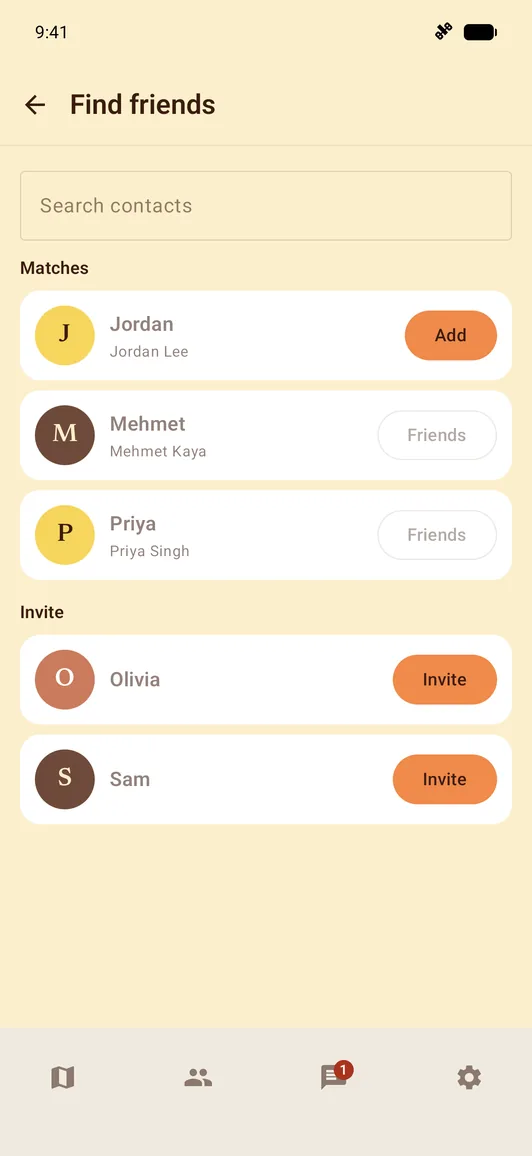
Find the people you already know. First verify your phone number and allow contacts access. Turn on contact matching to see who is already here — and hear when someone joins.
- 1Your phone scrambles your contacts’ numbers into codes, and uploads only those. Their names and numbers stay on your phone.
- 2One switch, two effects. It shows you which contacts are already here, and lets them find you the same way. It is off until you turn it on.
- 3Turn it off whenever you like. We remove the uploaded codes and stop making you findable by number.
Privacy
The bubble is vague on purpose.
Your bubble holds still while you're around the same place — so a friend sees roughly where you are.
- Sharing works both ways. If you stop sharing, you stop seeing friends and you stop appearing on your friends' maps. Changes need a connection; an older bubble can stay visible until your change goes through.
- An exact position is never shown unless you deliberately turn on precise location for a specific friend.
- You choose your bubble size. Keep it broad or make it smaller. It is an approximate area, not a pin showing exactly where you are.
- You choose who sees you. Groups switch between Sharing and Hidden, and you can hide from one person without leaving the group.
- Block and report. You can block someone outright or report harassment from their profile or a chat, and every account you've blocked stays listed in one place.
- Delete your account whenever you choose. Our privacy policy explains what we remove and the limited records we may need to keep.
Questions
- Can my friends see exactly where I am?
- No. Friends see a bubble — an area showing roughly where you are, rather than a pin drawn around your exact position. It holds still while you're around the same place, so a friend who checks in sees roughly the same thing each time. The only exception is precise location, which you turn on yourself from a chat, for a limited time, and can stop at any point.
- Can my friends see me all the time?
- No. Friends appear when your bubbles overlap. The nearby session stays open for a short while after you drift apart, giving you time to notice the notification and make a plan.
- Who can see me?
- Friends you've added and who have accepted. Choose which groups you share with, hide from one person, or pause sharing altogether. Who can see me, in Settings, shows current sharing information, alongside friends you have hidden from and accounts you have blocked.
- Does it keep a history of where I have been?
- Small World keeps only your latest location, rather than a trail of your movements. When you cross paths, a record is saved into your chat and appears on your friend's profile, so you can look back at past meet-ups and how many times you've met. The privacy policy has the details of what we keep.
- When can I get it on iOS?
- Android is coming soon; iPhone is coming later. Store links will appear here when each listing is publicly available.
Somewhere nearby.
Android coming soon. iPhone coming later.